On my first post on How I turned a folder in my Obsidian vault into my website, I wrote about how I set up my Obsidian -> website pipeline. I thought I’d make a separate one about how cool Quartz is and how I configured it.
Theme
Quartz has quite a few community themes available. I chose Kanagawa because I like its colours, then customised it to better match the look I wanted.
- Community themes: https://github.com/saberzero1/quartz-themes
- Kanagawa: https://quartz-themes.github.io/kanagawa/
- Personal tweaks: https://github.com/epayet/epayet.github.io/blob/8d94f5e177e0007aa4874580766bcc6242bf698c/quartz/styles/custom.scss
- edit: I’ve made a few more tweaks since, at this point I might as well write my own theme perhaps…
Plugins
Quartz comes with a bunch of useful plugins that you can configure on your quartz.config.yaml. Here are a notable few:
og-image
"@quartz-community/og-image" turns the metadata of the page into a generated image that gets used by bots.
I found this website which shows you how the metadata of the website will get displayed in a few different scenarios (google, whatsapp, etc.): https://www.opengraph.to/u/emmanuel-payet.me
For example, with this frontmatter metadata in my markdown file:
---
title: How I made this website
description: I explain how I turned a folder in my Obsidian vault into a website with a simple command, while preserving the links and graph structure.
tags:
  - engineering
---
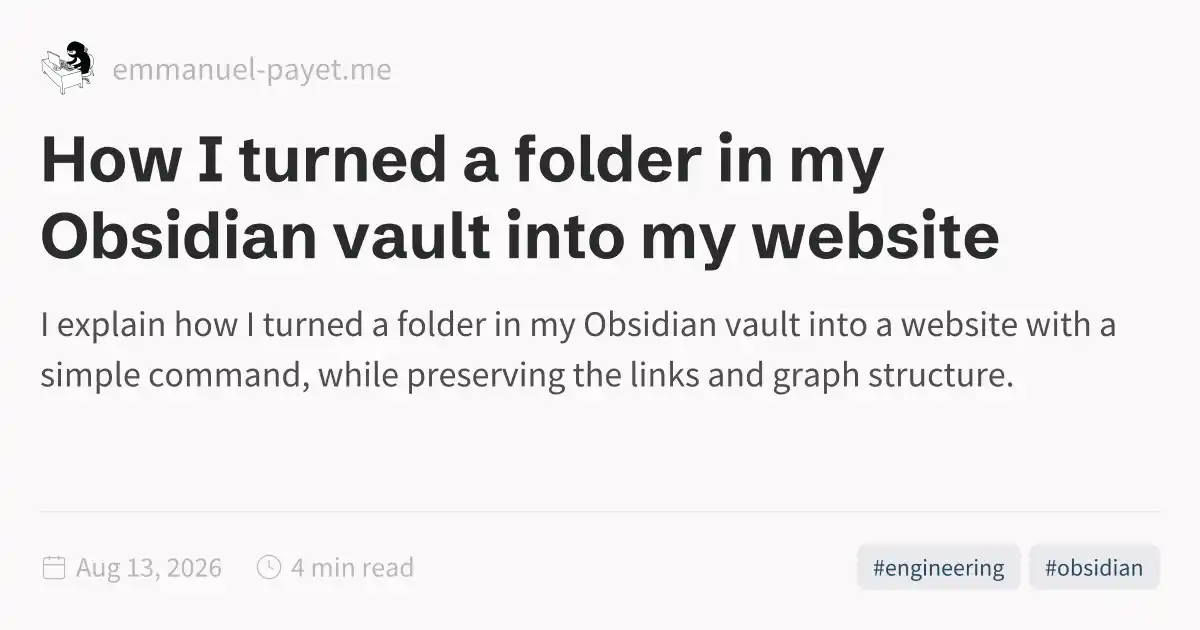
This is the og-image for the page How I turned a folder in my Obsidian vault into my website:
https://emmanuel-payet.me/how-i-turned-a-folder-in-my-obsidian-vault-into-my-website-og-image.webp:
frontmatter
Speaking of frontmatter, this is all the supported fields: https://quartz.jzhao.xyz/plugins/frontmatter
content-index
This enables an auto generated sitemap and rss feed: https://quartz.jzhao.xyz/plugins/contentindex
For my website:
tags and tag page
tag-list to display tags at the top of the page: https://quartz.jzhao.xyz/plugins/taglist
They link to the tag pages thanks to the tag-page plugin (https://quartz.jzhao.xyz/plugins/tagpage).
Here’s my tags page: https://emmanuel-payet.me/tags/
sitemap
https://emmanuel-payet.me/sitemap.xml
comments
This was fairly easy to setup using giscus: https://quartz.jzhao.xyz/features/comments. It’s enabled right now, see at the bottom of this page
create custom component plugin
I wanted to have a Kit email subscribe form at the end of every page. This was not as easy as it seems (I just wanted a simple script tag at the end of each page…). I ended up making a custom plugin following this guide: https://quartz.jzhao.xyz/advanced/creating-components.
I got it to work and might make an official plugin for it later? Current quick and dirty implementation: https://github.com/epayet/epayet.github.io/tree/v5/quartz/plugins/kit-newsletter